Nodes library
RFix supports a broad node library.
Build scenarios by dragging waveform sources, protocol emitters, channel effects, 3D infrastructure, and analysis nodes into the same graph. Generators, modifiers, and utility nodes can be chained visually so each transmission path stays readable as the scenario grows.
CW
Generates a continuous single-frequency carrier tone.
Custom Code
The Custom node lets desktop users load Python code directly into the graph, validate it against the backend, and turn project-specific signal logic into a first-class RF node.
- Load `.py` files directly from the node UI.
- Run backend validation before the node participates in generation.
- Useful for project-specific emitters, transforms, or research code.
Input IQ
The Input IQ File node brings external recordings into the scenario graph so measured captures, SigMF archives, and raw sample files can be mixed, filtered, analyzed, or exported again.
- Supports raw and WAV-style file workflows, plus SigMF archive imports.
- Carries sample-format settings such as datatype, endianness, and complex/real mode.
- Imports annotations when available so external captures remain traceable inside RFix.
SDR Recorder
The SDR Recorder node is desktop-focused and captures live RF into reusable files so measured signals can move directly into analysis, trimming, and later scenario workflows.
- Records live SDR input from the desktop runtime into local capture files.
- Supports follow-up trimming, download, and reuse in later graph stages.
- Useful when teams need to bring measured captures back into the RFix workflow.
Terrain infrastructure
Terrain simulation turns wireless design into an iterative workflow.
Wireless design moves faster when the physical world is part of the model from the beginning. Instead of waiting for field tests to discover that a ridge, rooftop, wet atmosphere, street canyon, or reflected path changes the link budget, RF teams can test those assumptions inside the graph. Terrain-aware simulation lets engineers compare placements, antenna heights, weather cases, channel settings, and receiver locations early, then reserve field validation for the designs that already survived realistic propagation pressure.
In RFix, terrain infrastructure is not a separate planning document. It is part of the same node chain that produces IQ, runs channel effects, and feeds sensors or analysis tools. The product uses two complementary foundations: ITU-R models for standards-aligned propagation estimates, and Sionna terrain infrastructure for geometry-aware scene and map workflows.
Formal ITU-R site
ITU-R propagation models
Standards-aligned propagation estimates for link planning, weather sensitivity, and terrain/profile studies.
- Atmospheric loss, rain, cloud/fog, and polarization
- Climatology and manual weather inputs
- Short-range, terrain-profile, and earth-space workflows
Formal NVIDIA Sionna site
Sionna terrain infrastructure
Geometry-aware channel infrastructure for scene, terrain, obstruction, and multipath-aware RF workflows.
- Sionna RT, topography surrogate, and preview backends
- Terrain DEM, building, land-cover, and scene-bundle inputs
Emitter, Sionna channel, and sensor in one chain
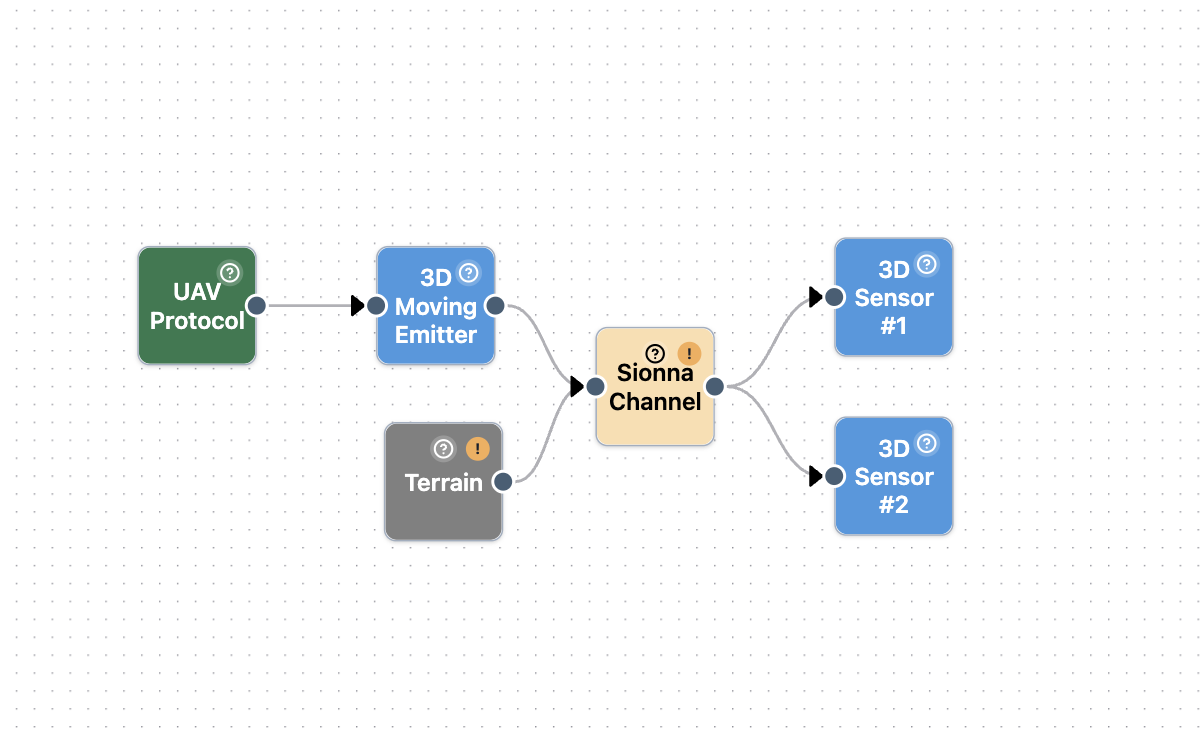
A minimal terrain-aware setup starts with a transmitter or emitter node, connects it through a Sionna channel, and resolves the received signal at a sensor. That small chain is enough to expose the important workflow: the waveform remains editable, the channel is tied to a terrain or scene source, and the receiver result can be inspected without leaving the project.
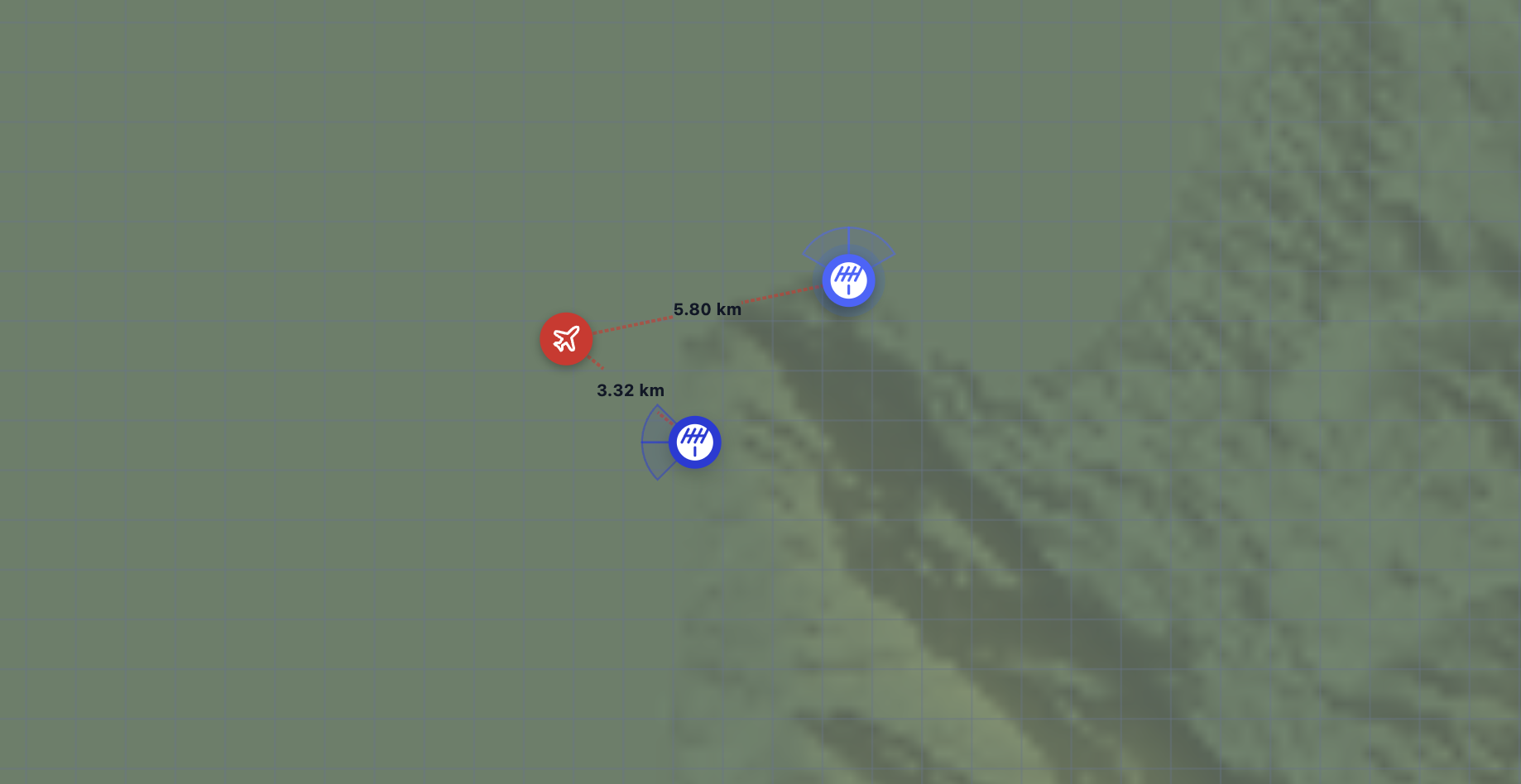
On the map, the same scenario becomes spatial. Emitters, sensors, and the selected terrain overlay can be reviewed together, making it easier to see whether a placement is blocked, whether an offset needs adjustment, and how the propagation setup relates to the actual operating area. The point is not to replace field measurements; it is to make every field measurement more targeted by eliminating weak designs before they reach the test range.
Analysis tools
RFix is also an RF recording analysis workspace.
RFix does not only generate signals. The platform also serves as an RF recording analysis tool, with out-of-the-box analysis views, measurements, and graphs for understanding captured or simulated IQ data inside the same workflow.
Spectrogram Analysis
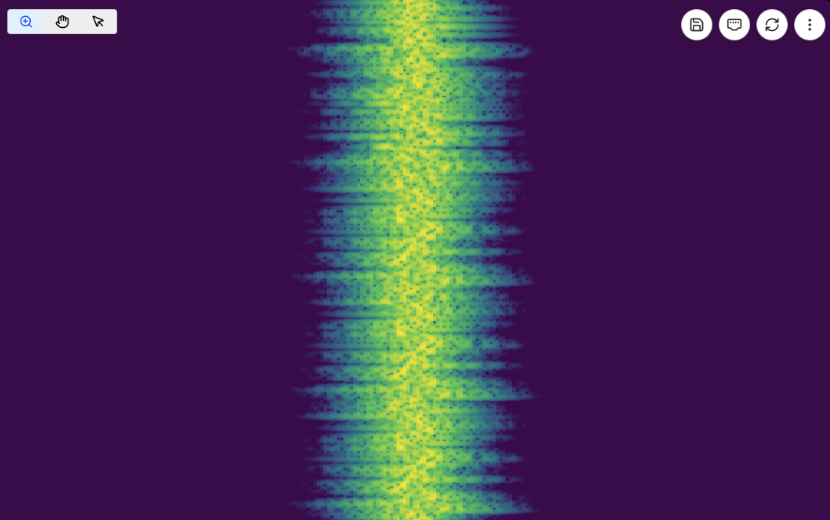
The spectrogram tool turns IQ recordings into a time-frequency view so engineers can inspect occupancy, bursts, sweeps, hopping behavior, protocol timing, interference, and unexpected energy across the band. It is useful both after generating a scenario and after importing measured recordings, because the same visual surface can reveal whether the signal behaves as designed or whether the capture contains timing, power, or frequency-domain artifacts that need deeper investigation.
Time Domain Analysis
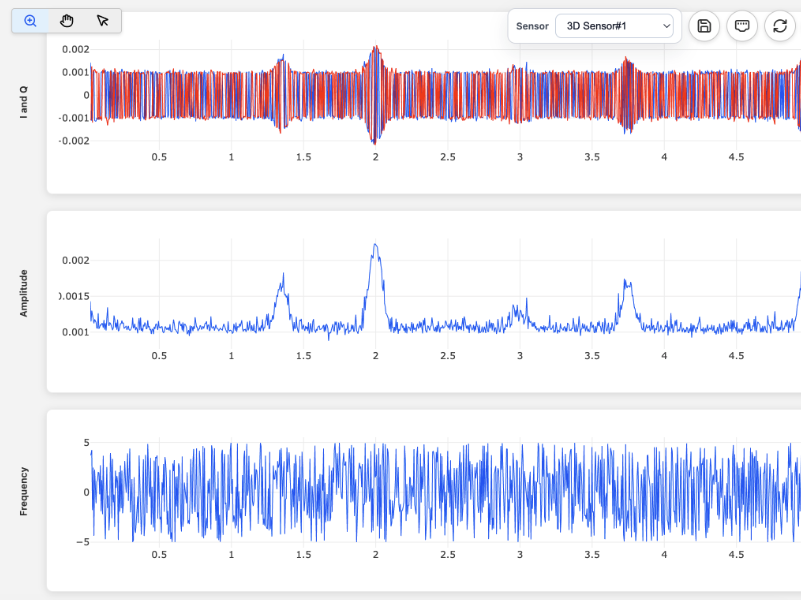
Time domain analysis focuses on the sample stream itself. It helps teams inspect amplitude, phase, timing, transients, gaps, pulse shape, and signal continuity before or after channel effects are applied. This view is especially useful when validating generated waveforms against expected envelopes, checking imported recordings for clipping or discontinuities, and comparing how a channel or processing stage changes the received waveform over time.